



As part of the introduction of block trades thresholds (Decision Notice 25/149), the LME introduced a Crossing Rule which outlines a Member’s ability to “cross” orders through LMEselect under certain circumstances.
The Crossing Rule, as set out in the Crossing guidance (PDF), allows Members to cross on LMEselect irrespective of the size of the Agreed Trade.
There are two methods available to cross on LMEselect:
- The Manual Cross (LMEselect cross)
- Automated Cross (LMEselect crossing order type)
Manual Cross (LMEselect cross)
This a trade where two participants engage in Pre-Trade Communications, and as a result the Member enters the client order into LMEselect. Following a minimum period of five seconds, the Member can enter the opposite order to create a cross trade.
The LMEselect cross is available for:
- Client to Member trades
- Member to Member trades (where one Member enters both sides)
See below an example of how the manual cross works in practice.
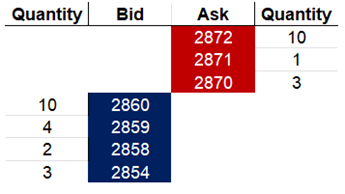
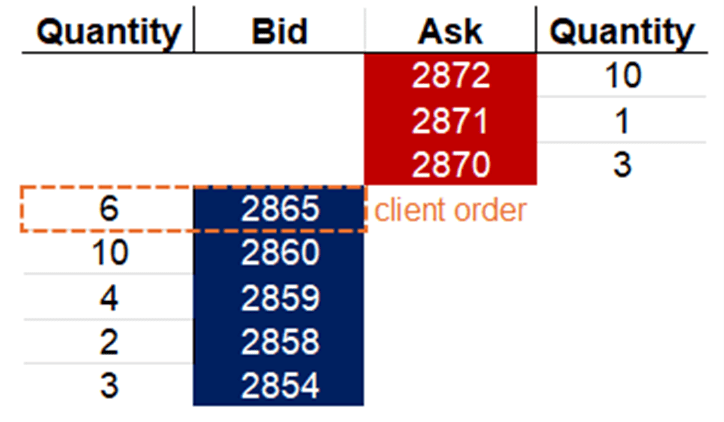
Illustrative scenario: a client wants to buy 6 lots of aluminium at 2865
Market before cross
Client order is entered
After five seconds
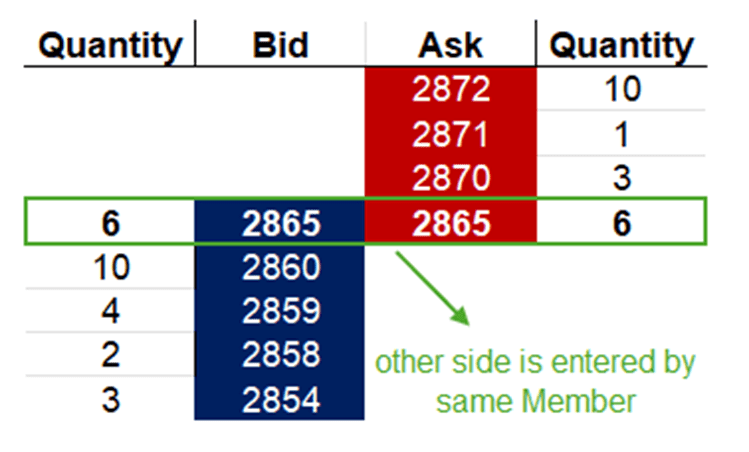
In the above example, the Client gets filled by the same Member at quoted rate of 2865.
For more examples, download the crossing examples below.
Crossing examples - manual and automated (PDF)
Automated Cross (LMEselect crossing order type)
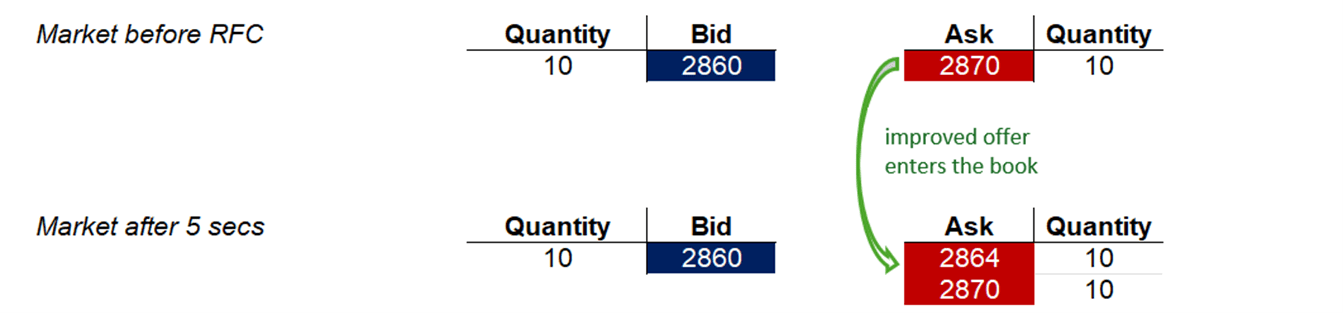
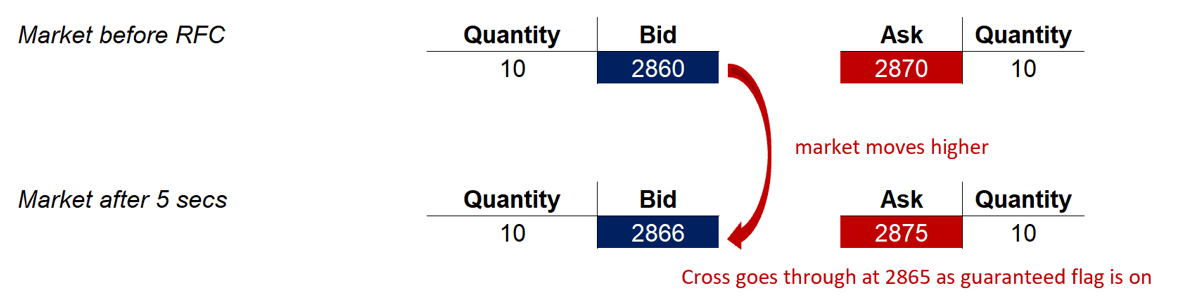
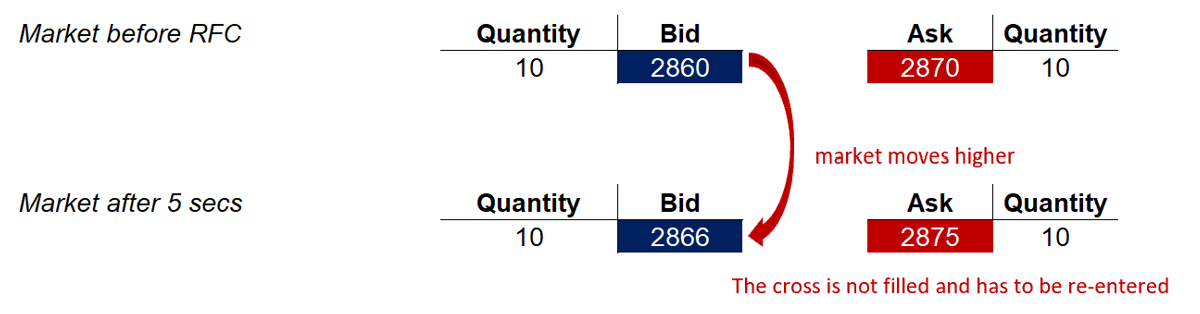
The LME has introduced a new order type that allows Members to cross on LMEselect. Upon entry, a Request For Cross (“RFC”) notification is sent to the market, followed by a five-second interval before the LMEselect Crossing Order Type is processed.
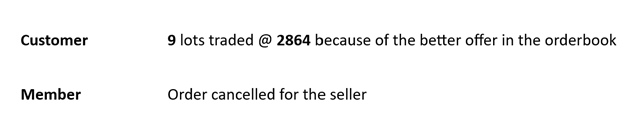
The LME has also built the optionality of using a “guarantee” flag when submitting the order on LMEselect. This allows Members to choose whether the Client will get a fill at the cross price or can get an improvement from liquidity on LMEselect. Members can also opt out, by using the “non-guarantee” flag when submitting orders on LMEselect.
The LMEselect crossing order type is available to:
- Client to Member trades
- Member to Member trades (both sides of the cross entered by the same Member)
- Member crossing two Clients, and the initiating side of the order is identified.
Resources
25/149 Consultation Decision Notice on Enhancing Liquidity (PDF)
Redline of amendments to the LME Rulebook (PDF)
Crossing examples - manual and automated (PDF)
Order Entry Gateway FIX Specification v1.9 2 (PDF)
Order Entry Gateway FIX Specification v1.9 2 tracked (PDF)
Drop Copy Gateway FIX Specification v1.9 1 (PDF)
Drop Copy Gateway FIX Specification v1.9 1 tracked (PDF)